Overview
Dose serves as a modern solution to the age-old problem of forgetting prescribed medication. The app reminds users to take their doses and helps them maintain a comprehensive medication list for personal reference and medical consultations.

Medication reminders and an accessible personal record
Dose serves as a modern solution to the age-old problem of forgetting prescribed medication. The app reminds users to take their doses and helps them maintain a comprehensive medication list for personal reference and medical consultations.
Medication routines become harder to manage as prescriptions, schedules, and daily responsibilities accumulate.
Forgetting medication is often tied to disrupted routines, hectic schedules, and relying on memory alone. Tracking can also feel like extra work, especially for medication taken every day.
Dose reduces that burden by keeping reminders and medication details together in a discreet, approachable mobile experience.
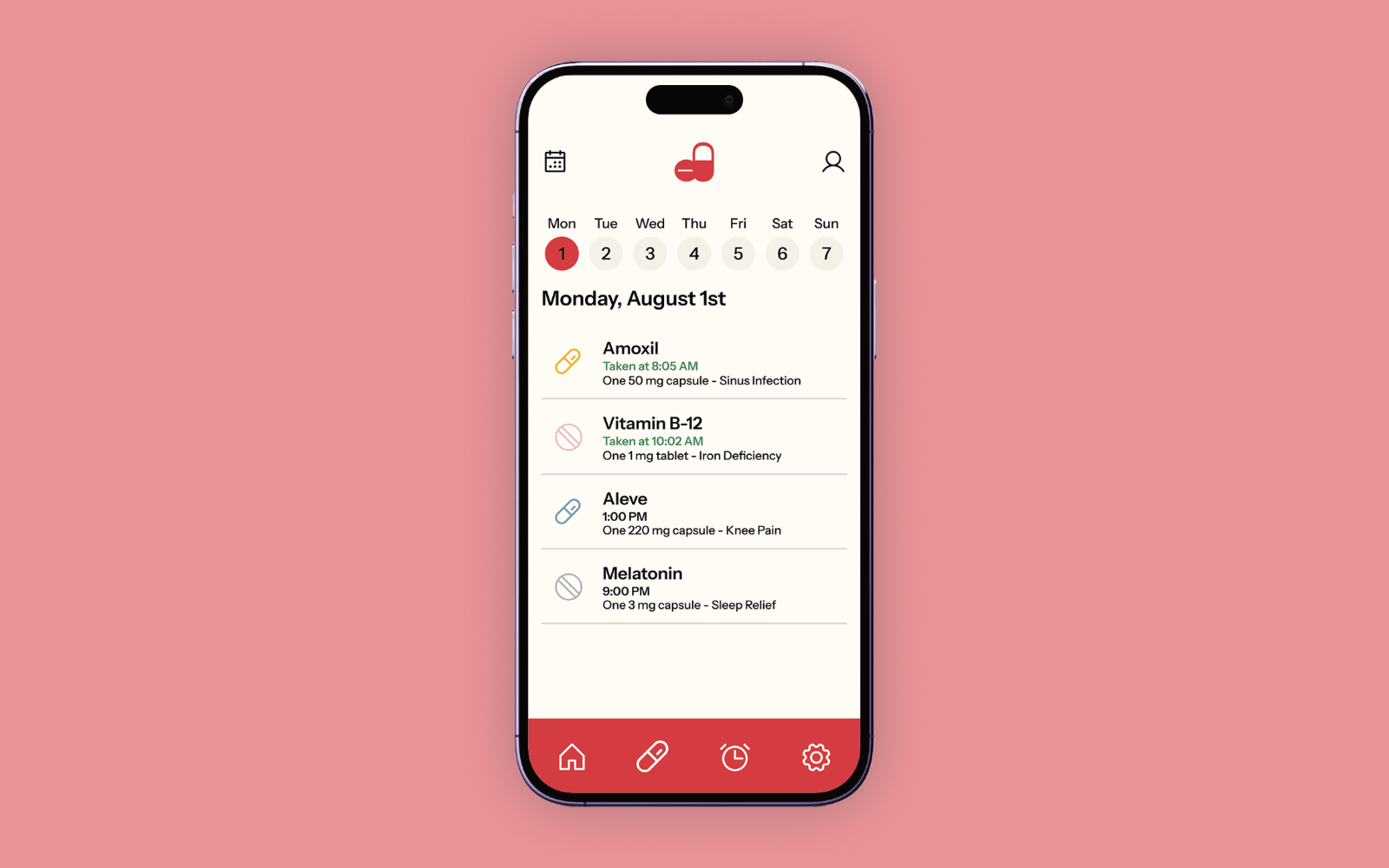
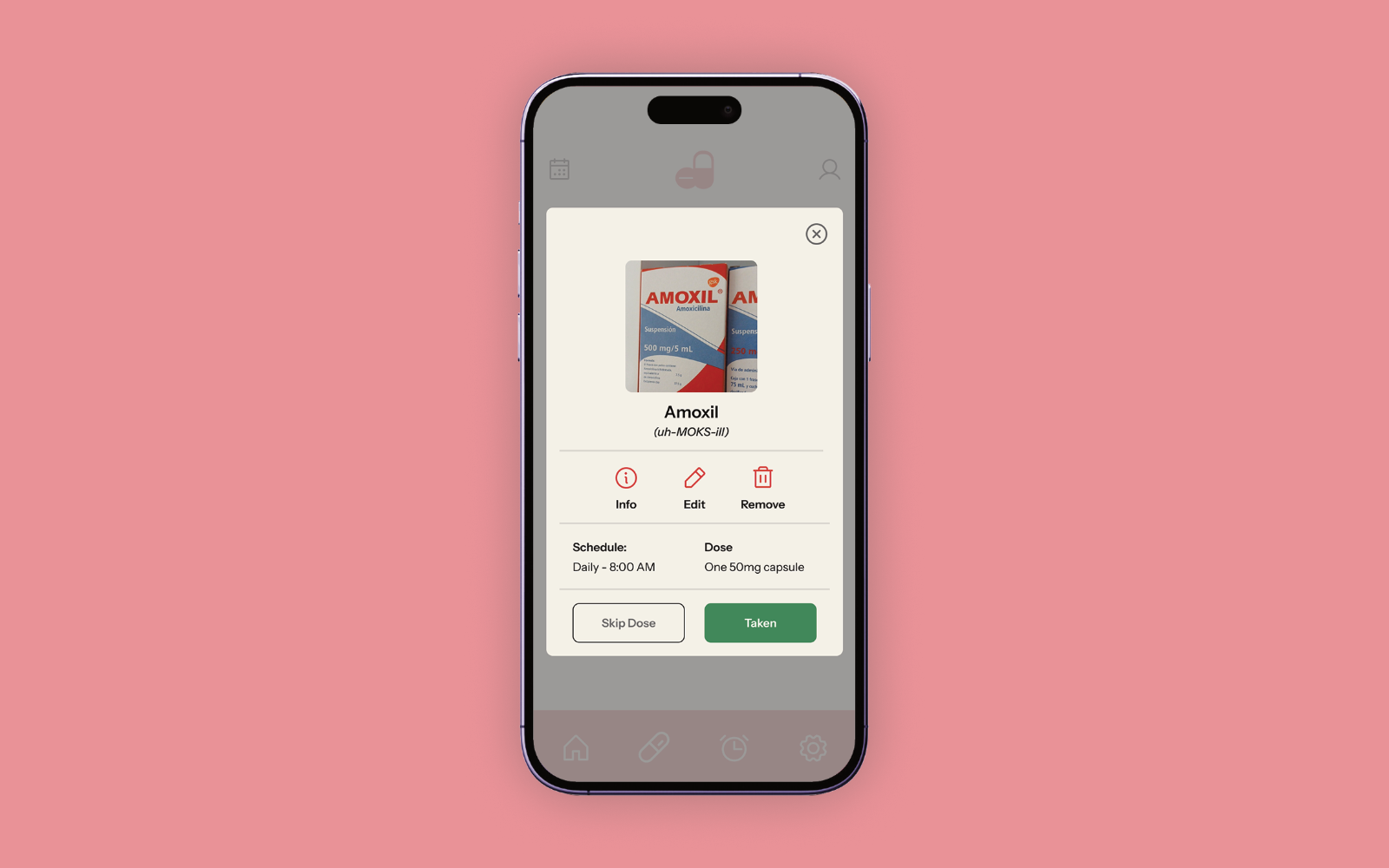
Dose’s core flow keeps the day’s medication easy to scan, then moves into the details of each dose.
The home screen makes each medication and its current reminder status easy to scan.
Dose aims to simplify the often-confusing world of pharmaceuticals. Allowing users to add their own medication photos makes it easier to identify specific pill bottles in a crowded medicine cabinet. Since medication names can be long and difficult to pronounce, Dose also provides audio pronunciations to help users confidently communicate medication details with healthcare professionals and caregivers.
Dose is designed for people of different ages and levels of experience with technology. A simple colour palette, large text, and recognizable icons make the interface easier to navigate. Throughout the medication-adding process, descriptive language and clear visual cues guide users through each step, helping them add medications with confidence.

Dose’s design system reflects the app’s focus on simplicity and clarity. Colour-coded component states help users quickly understand the status of their medication tracking, while intuitive icons make dosage schedules easier to interpret at a glance. Because medication management involves many details to keep track of, each component was designed to communicate information clearly and accommodate different stages of the medication tracking process.
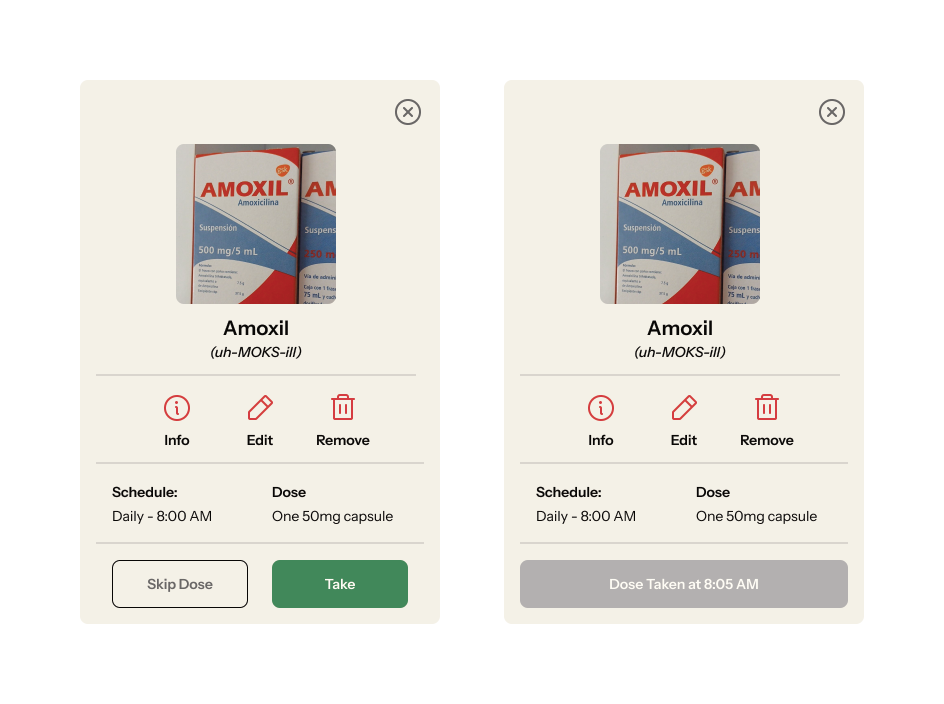
Medication Action Modal
The default and disabled state of the medication logging modal.
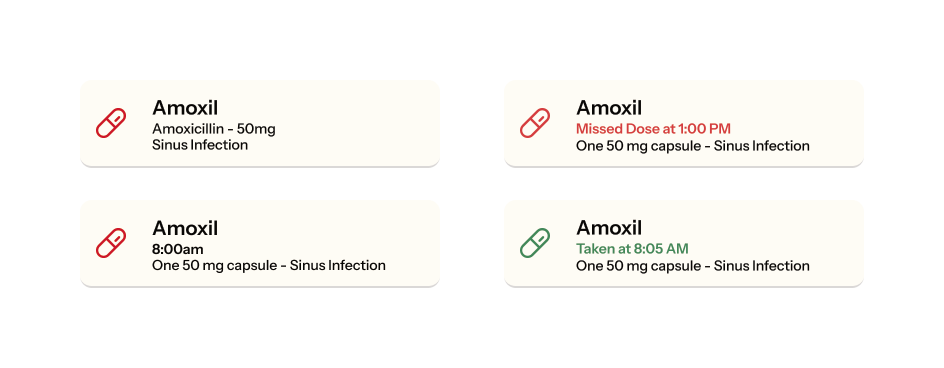
Medication status cards
Multiple variations of the medication status cards in their untaken and taken state.